Imagine being in the middle of an urgent project, streaming your favorite show on a long flight, or working from a scenic cafe, only for your laptop battery to unexpectedly die. It’s a frustrating scenario that many of us have faced. In today’s hyper-connected world, our laptops are indispensable tools for work, creativity, and entertainment, but their battery life often falls short of our demanding schedules. This is where a reliable laptop power bank becomes an absolute game-changer. This comprehensive guide will demystify the world of portable laptop chargers, helping you understand their vital role, explore various types, compare top models, and ultimately choose the perfect power companion to keep your mobile workspace powered up, anywhere, anytime.
What is a Laptop Power Bank and Why Do You Need One?
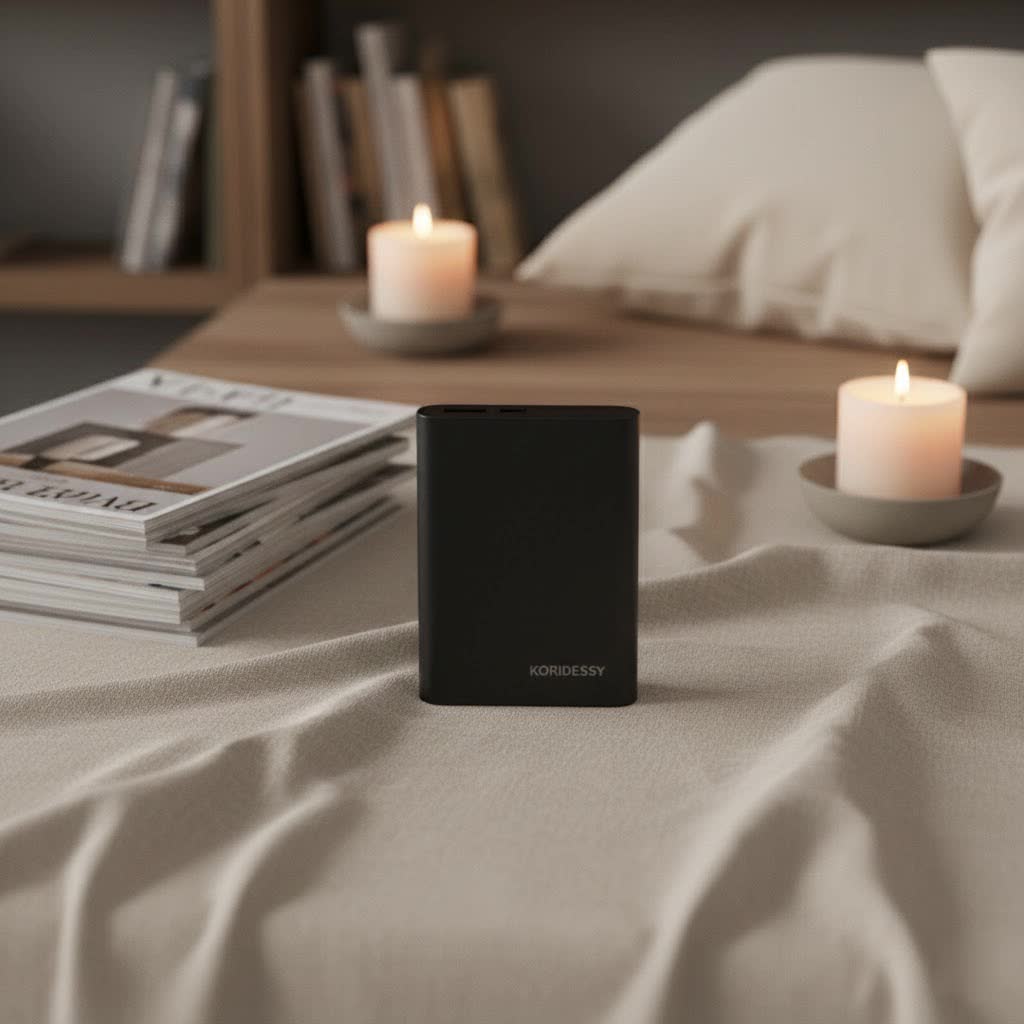
A laptop power bank, also known as a portable laptop charger or external laptop battery, is essentially a large-capacity, rechargeable battery designed to supply power to your laptop and other devices when you’re away from a wall outlet. Unlike smaller power banks made for smartphones, laptop power banks are engineered with higher capacities and greater power output to meet the more demanding energy requirements of notebooks.
You might be wondering why you even need one when laptops are designed for wireless operation. While modern laptops offer decent battery life, it’s rarely enough for truly extended use, especially when you’re running power-intensive applications or don’t have consistent access to charging points. Whether you’re a remote worker, a student, a frequent traveler, or simply someone who needs to stay productive during a power outage, a laptop power bank provides the crucial backup power that ensures uninterrupted productivity and peace of mind. It liberates you from the confines of power outlets, transforming any location into your potential workspace.
Types of Laptop Power Banks on the Market
The market for laptop power banks is diverse, offering solutions tailored to various needs and devices. Understanding the different classifications can help narrow down your choices.
Classification by Capacity (mAh/Wh)
Capacity is measured in milliampere-hours (mAh) or watt-hours (Wh) and indicates how much energy the power bank can store. For laptops, higher capacity is generally better, but it also impacts size and weight.
- 10,000mAh – 20,000mAh: These are often considered the minimum for laptops, capable of providing a partial to full charge for lighter ultrabooks or extending usage for a few hours. They are typically more compact and lighter.
- Pros: Highly portable, lighter, more affordable.
- Cons: Limited charges, may not fully charge power-hungry laptops.
- Suitable for: Light users, short trips, small laptops, or emergency top-ups.
- 20,000mAh – 27,000mAh: This range is a sweet spot for most users, often providing one to two full charges for many laptops. Many portable chargers designed for laptops top out around 27,000mAh (or approximately 100Wh) due to airline regulations for carry-on luggage.
- Pros: Good balance of capacity and portability, sufficient for most laptops.
- Cons: Can still be bulky for some, higher cost.
- Suitable for: Daily commuters, students, professionals needing multiple charges.
- 30,000mAh+: These high-capacity power banks are designed for extended travel or demanding workloads, potentially offering multiple full laptop charges. However, they are typically larger and heavier.
- Pros: Maximum charges, ideal for long periods away from outlets.
- Cons: Heaviest and largest, may exceed airline carry-on limits for certain Wh ratings.
- Suitable for: Digital nomads, long-haul travelers, users with multiple devices, or gaming laptops.
|
Our Picks for the Best Power Bank in 2026
As an Amazon Associate I earn from qualifying purchases.
|
||
| Num | Product | Action |
|---|---|---|
| 1 | BLAVOR Solar Power Bank with Hand Crank and 4 Cables, 20000mAh Wireless Portable Charger with USB C & Camping Light, 20W Fast Charging Battery Pack for iPhone, iPad, Samsung, All Mobile Phones |

|
| 2 | Anker Zolo Power Bank (2025 Upgraded Version), 20,000mAh 30W High-Speed Portable Charger with Built-in USB-C Cable, Battery Pack for iPhone 17/16 / 15 Series, Galaxy, and More |
|
| 3 | Anker Prime Power Bank, 26,250mAh 3-Port Portable Charger with 300W Max Output, Two-Way Charging, TSA-Approved, App Control, for MacBook, iPhone 17/16 Series, and More (Base Not Included) |
|
| 4 | Portable Charger 50800mAh Power Bank with 3 Built in Cables,25W PD QC4.0 Fast Charging USB C Battery Pack,6 Outputs 2 Inputs Travel Essentials Portable Phone Charger for iPhone 17/16/15,Google,Android |
|
| 5 | LENUTO for Magsafe Portable Charger 10000mAh Magnetic Portable Charger with Type-C Cable 20W PD Fast Charging,Foldable Stand,Dual Type-C & USB-A Outputs,LED Display–Space Gray |
|
| 6 | Anker Power Bank(PowerCore 10K), Compact Travel-Ready 10,000mAh Battery Pack with PowerIQ Charging Technology, 5V/3A High-Speed Charging for iPhone, iPad,and More(USB-C Input and Output(Black), 1pack) |
|
| 7 | ERRBBIC Solar Charger Power Bank 20000mAh, Portable Wireless Charger, 15W Fast Charging External Battery Pack with Dual Flashlight and USB C Outputs, Outdoor Mobile Power Compatible with Cell Phones |
|
| 8 | Anker 737 Power Bank, 24,000mAh 3-Port Laptop Portable Charger with 140W Fast Charging, Smart Display, for Outdoor Work, Compatible with iPhone 16/15/14 Series, Vision Pro, Samsung, MacBook, and More |
|
| 9 | INIU Portable Charger, Ultra Slim 45W Fast Charging with Attached USB C Cable, Flight-Safe 10000mAh PD Power Bank Battery Pack, Travel Essential Phone Powerbank for iPhone 17 16 Samsung S25 Google etc |
|
| 10 | Anker Laptop Power Bank, 25,000mAh Portable Charger with Triple 100W USB-C Ports, Built-in Retractable Cables, Flight-Approved for Travel, iPhone 17/16 Series, MacBook, Samsung, and More |
|
Classification by Charging Technology
The technology a power bank utilizes determines its charging speed and compatibility.
- USB Power Delivery (PD): This is the most crucial technology for laptop power banks. USB-C PD allows for faster and more efficient charging of compatible devices by delivering higher wattage over a USB-C connection. Most modern laptops, especially ultrabooks and MacBooks, rely on USB-C PD for charging.
- Pros: Fast charging, universal USB-C compatibility, bi-directional power flow.
- Cons: Requires compatible USB-C ports and cables.
- Quick Charge (QC): While primarily designed for smartphones and tablets, some power banks incorporate QC for faster charging of non-PD compatible devices via USB-A ports.
- Wireless Charging: Some power banks include a wireless charging pad, offering convenience for smartphones and other Qi-enabled accessories, though it’s typically slower than wired charging.
- Pros: Cable-free convenience for compatible devices.
- Cons: Slower charging speeds, typically not for laptops.
- AC Outlet: A few ultra-high-capacity power banks feature a built-in AC outlet, allowing you to plug in standard laptop chargers or other small appliances. These are often heavier and larger, blurring the line between a power bank and a portable power station.
Classification by Brand
Reputable brands in the power bank space are known for their quality, safety features, and customer support. Brands like Anker, UGREEN, Baseus, and Zendure consistently appear in top reviews for laptop power banks, offering a range of capacities and technologies.
Comparing Laptop Power Banks: A Detailed Overview
Choosing the right power bank requires a close look at various specifications. Here’s a comparison table highlighting key aspects:
| Feature | Description | Importance for Laptops |
|---|---|---|
| Capacity | Measured in mAh (milliampere-hours) or Wh (watt-hours). Indicates total energy stored. | High: 20,000 mAh+ or 50Wh+ recommended for laptops. Determines how many times a laptop can be charged. Note: Wh is a better comparison for laptops due to voltage differences. |
| Power Output | Measured in Watts (W). Indicates how quickly power is delivered. | Crucial: Most modern laptops require 30W-100W+. Gaming laptops can need 200W-350W. Ensure the power bank’s output meets or exceeds your laptop’s charging brick wattage to avoid slow or non-existent charging. |
| Technology | Primarily USB Power Delivery (PD) for fast charging via USB-C. | Essential: USB-C PD is the standard for efficient laptop charging. Look for PD 3.0 or higher for best performance. |
| Ports | Types: USB-C (input/output), USB-A (output), sometimes DC barrel or AC outlet. | Versatility: At least one USB-C PD port is a must for laptops. Multiple USB-A ports are useful for charging other devices simultaneously. Some older laptops may require specific DC adapters. |
| Size & Weight | Physical dimensions and mass of the power bank. | Portability: High capacity often means larger/heavier. Balance power needs with travel convenience. Compact models (e.g., under 600g) are ideal for carrying in bags. |
| Safety Features | Overcharge, over-discharge, over-current, short-circuit, temperature protection. | Non-negotiable: Protects both the power bank and your devices. Look for reputable brands with recognized safety certifications. |
| Brand Reputation | Manufacturer’s track record, warranty, customer support, and product reviews. | Trustworthiness: Reputable brands (Anker, UGREEN, Baseus, etc.) offer better quality control, more accurate specifications, and reliable performance. |
| Price | Cost of the power bank. | Value: Ranges from budget to premium. Investing in a higher-quality power bank with adequate specifications usually pays off in reliability and longevity. Avoid extremely cheap options that might compromise on safety or performance. |
How to Choose the Right Laptop Power Bank for Your Needs
Selecting the perfect laptop power bank requires a thoughtful evaluation of your personal usage patterns and the technical specifications of your devices.
Assess Your Usage Needs
Before diving into technical specs, consider how and where you’ll use the power bank.
- Which devices will you charge? Primarily your laptop, or also your phone, tablet, and other gadgets?
- How many full charges do you need? One top-up, multiple charges, or extended power for several days? This dictates the required capacity. For general use, 20,000 mAh often suffices for 1-2 laptop charges. For longer trips, consider 30,000 mAh or more.
- Do you need fast charging? If you’re always on the go and time is critical, prioritize USB-C PD with high wattage output.
- What is your budget? Power banks vary widely in price, so setting a budget upfront will help manage expectations and narrow down options.
Understand Key Specifications
Delving into the technical details ensures compatibility and optimal performance.
- Capacity (mAh or Wh): As discussed, a minimum of 20,000 mAh (or around 50 Wh) is generally needed for laptops. Remember that actual usable capacity might be slightly less due to energy conversion losses. For the most accurate comparison across devices, consider the Watt-hour (Wh) rating.
- Power Output (Watts): This is paramount for laptops. Check your laptop’s original charger for its wattage (e.g., 45W, 65W, 100W). Your power bank should ideally match or exceed this output to charge efficiently. Using a power bank with insufficient wattage might lead to very slow charging or even prevent charging while the laptop is in use.
- Ports (USB-C PD, USB-A): Ensure the power bank has at least one USB-C port that supports Power Delivery (PD) for laptop charging. If your laptop charges via USB-C, a PD-enabled port is critical. Multiple USB-A ports are beneficial for simultaneously charging other devices.
- Safety Features: Look for built-in protections against overcharging, over-discharging, short-circuits, and overheating. These safeguards are essential for the longevity of both the power bank and your valuable devices.
Select a Reputable Brand
The market is flooded with power banks, but quality and safety vary.
- Read reviews: Consult independent tech reviews and user testimonials for insights into performance and reliability.
- Check warranty and after-sales support: A good warranty indicates a manufacturer’s confidence in their product.
- Prioritize safety certifications: Look for products that meet international safety standards (e.g., CE, FCC, RoHS).
Compare Prices and Value
While it’s tempting to opt for the cheapest option, this can often lead to disappointment.
- Balance cost with quality: A slightly higher investment in a reputable brand with robust features usually translates to better performance, durability, and safety in the long run.
- Be wary of unrealistic claims: If a price seems too good to be true for the stated capacity and wattage, it probably is. Unbranded or generic power banks may use lower-quality components.
“When choosing a laptop power bank, prioritize USB-C Power Delivery with adequate wattage and a capacity that truly meets your travel and usage demands. Don’t underestimate the importance of reliable safety features.” – Tech Reviewer, Portable Power Expert
Top 5 Best Laptop Power Banks for 2024
Based on current market trends, expert reviews, and user feedback, here are five highly-rated laptop power banks that stand out:
-
Anker 737 Power Bank (PowerCore 24K):
- Highlights: Boasts impressive 140W max output via Power Delivery 3.1, a substantial 24,000mAh capacity, and a useful digital display. It offers super fast charging for demanding laptops.
- Pros: Extremely fast charging, high capacity, clear digital screen, robust build.
- Cons: Can be relatively heavy and bulky.
- Ideal for: Users needing maximum charging speed and capacity for high-performance laptops and multiple devices.
-
Anker PowerCore A1291:
- Highlights: A top-tier all-rounder with 25,600mAh capacity, offering 87W from a single USB-C PD port or 63W when both USB-C ports are in use, plus two USB-A ports.
- Pros: Excellent balance of capacity and output, multiple ports, reliable Anker quality.
- Cons: Not as high wattage as the 737.
- Ideal for: Most professionals and students who need reliable power for their laptop and other gadgets.
-
HenHot Laptop Power Bank:
- Highlights: Offers great value with a high 30,000mAh capacity and 100W USB-C PD output at a competitive price point.
- Pros: Massive capacity, high wattage output, budget-friendly.
- Cons: Fewer port options compared to some premium models.
- Ideal for: Value-conscious buyers who need high capacity and fast charging without breaking the bank.
-
Baseus Blade 2 Ultra Slim Power Bank:
- Highlights: Stands out for its incredibly thin profile (only 7.3mm thick) and sleek design, yet still delivers sufficient power for laptops.
- Pros: Extremely portable, lightweight, ideal for minimalist setups.
- Cons: Capacity and wattage might be slightly lower than bulkier options.
- Ideal for: Users prioritizing extreme portability and a slim form factor, perfect for slipping into laptop sleeves.
-
UGREEN 145W Power Bank:
- Highlights: Features a 25,000mAh capacity and impressive 145W two-way fast charging, allowing quick recharging of the power bank itself and fast output to devices. It includes three ports (USB-C PD 3.0 and QC 3.0).
- Pros: Very powerful output, fast self-recharge, multiple fast-charging ports.
- Cons: Can slow down slightly under heavy multi-device load.
- Ideal for: Professionals and students who frequently charge multiple high-power devices simultaneously.
Proper Usage and Maintenance for Your Laptop Power Bank
To ensure your laptop power bank operates safely and has a long lifespan, proper usage and maintenance are key.
- Initial Charge: Fully charge your new power bank before its first use. This often helps calibrate the battery.
- Charge Correctly: Always use the appropriate cable and charger (often USB-C PD) for both charging your power bank and charging your devices from the power bank. Using an underpowered charger for the power bank will result in very slow recharging times.
- Avoid Extreme Conditions: Keep your power bank away from extreme heat or cold, as this can degrade the battery cells. High humidity can also be detrimental.
- Don’t Deeply Discharge: While modern batteries are resilient, regularly letting your power bank completely drain to 0% before recharging can reduce its overall lifespan. Try to recharge it before it gets critically low.
- Store Properly: If storing for an extended period, charge the power bank to about 50-70% capacity, then store it in a cool, dry place. Avoid storing it fully charged or completely empty.
- Handle with Care: Power banks contain sensitive electronic components. Avoid dropping them or exposing them to excessive force.
- Use Original/Certified Cables: Always use high-quality, certified cables. Poor-quality cables can lead to inefficient charging, overheating, or even damage.
- Monitor for Swelling: If you notice any swelling in your power bank, discontinue use immediately and dispose of it safely according to local regulations.
Conclusion
In an era where mobility and constant connectivity are paramount, a laptop power bank is more than just an accessory; it’s an essential tool that empowers you to work, study, and create without interruption. By understanding the critical factors like capacity, power output, USB-C PD technology, and reputable brands, you can confidently choose a portable charger that perfectly aligns with your specific needs. Investing in a high-quality laptop power bank means investing in your productivity and freedom from the grid, ensuring your mobile workspace is always ready, no matter where your day takes you.
What kind of adventures will your fully charged laptop unlock for you?
Frequently Asked Questions
How many mAh do I need in a power bank to charge a laptop?
For most laptops, you should look for a power bank with at least 20,000mAh capacity. This typically provides one to two full charges for average ultrabooks. More demanding laptops or extended usage will benefit from capacities of 25,000mAh or higher.
Can a phone power bank charge a laptop?
Generally, no. Phone power banks usually have lower capacities (typically under 20,000mAh) and insufficient power output (wattage) for laptops. Laptops require higher wattage, often delivered via USB Power Delivery (PD) over a USB-C port, which most phone power banks do not support.
Is it safe to charge a laptop with a power bank?
Yes, it is safe to charge a laptop with a power bank, provided you use a reputable brand that incorporates built-in safety features like overcharge, over-discharge, and short-circuit protection. Always ensure the power bank’s output matches your laptop’s charging requirements to prevent issues.
What’s the difference between mAh and Wh for power banks?
mAh (milliampere-hours) measures the battery’s charge capacity, while Wh (watt-hours) measures the total energy stored. Wh is often a better metric for comparing laptop power banks because it accounts for voltage, providing a more accurate representation of how much power a battery can deliver to a laptop, which typically operates at a higher voltage than a phone.
