In today’s fast-paced world, a dead phone battery isn’t just an inconvenience; it can feel like losing a vital connection. Whether you’re navigating a new city, staying connected with loved ones, or powering through a busy workday, reliable portable power is essential. For Samsung device users, a Samsung power bank isn’t just any accessory; it’s designed to seamlessly integrate with your ecosystem, offering optimized charging and peace of mind. But with various models and specifications, how do you choose the right one? This comprehensive guide will help you understand Samsung’s offerings and select the perfect power bank to keep your devices charged and ready for anything.
What is a Power Bank and Why Do You Need One?
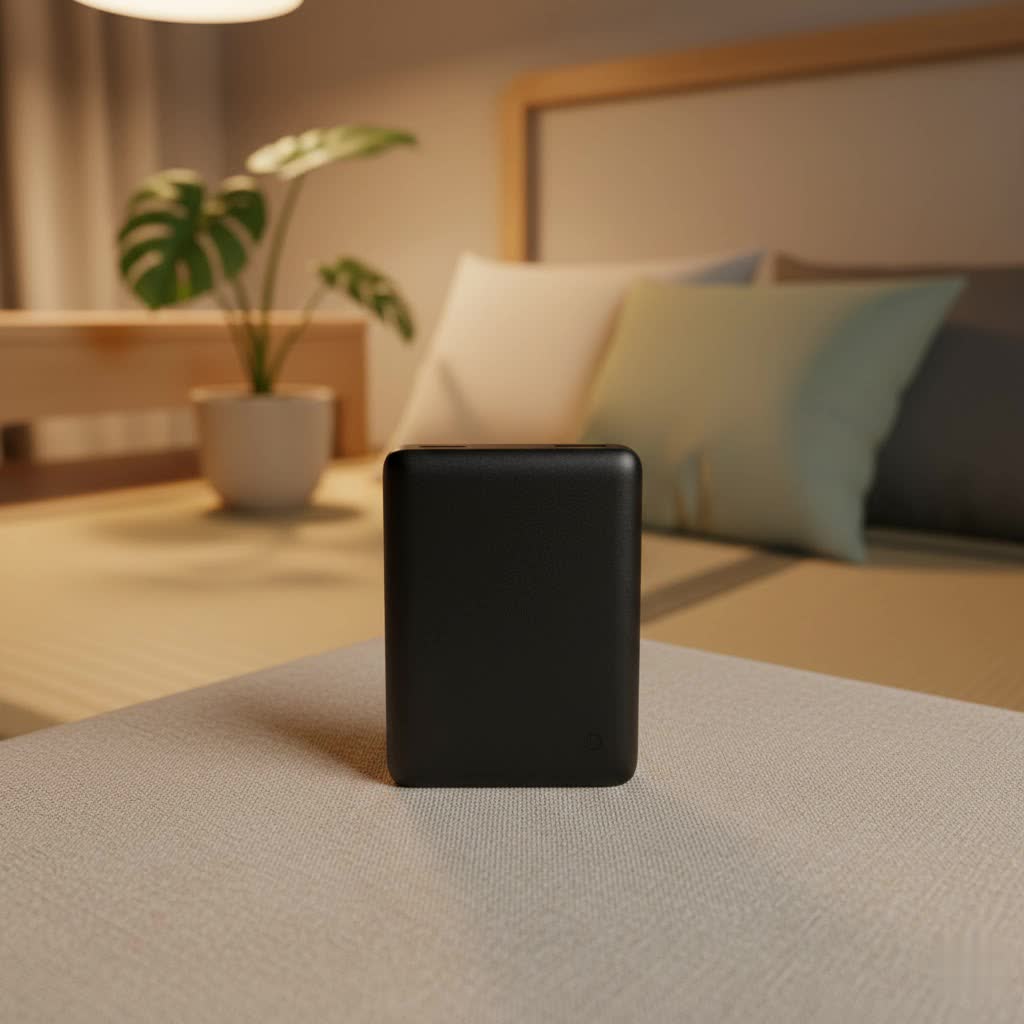
A power bank, also known as a portable charger or external battery pack, is a device that stores electrical energy to charge other electronic gadgets on the go. Imagine being away from wall outlets—on a hike, during a long commute, or traveling internationally—and your smartphone battery starts to dwindle. A power bank steps in as your reliable energy reserve, providing the extra juice needed to keep your devices operational.
For anyone constantly relying on their Samsung phone, tablet, or even smartwatch, a power bank offers unparalleled convenience and crucial backup. It ensures you never miss an important call, get lost without GPS, or fail to capture a memorable moment due to a depleted battery. The benefits extend beyond emergencies, enhancing productivity and entertainment by allowing continuous use of your devices wherever you are.
Types of Samsung Power Banks Available
Samsung offers a focused range of power banks designed to meet different needs, primarily categorized by their capacity and charging technology. These devices are crafted to complement Samsung’s extensive lineup of Galaxy smartphones and other compatible gadgets.
Power Bank Capacities: From Daily Use to Extended Adventures
- 10,000mAh Power Banks: These are ideal for daily use, offering roughly one to two full charges for most smartphones. They strike a balance between portability and power, making them perfect for commuters, students, or anyone needing a reliable top-up during the day. Their compact size ensures they fit easily into pockets or small bags.
- 20,000mAh Power Banks: Designed for heavy users, multi-device owners, or extended trips, these high-capacity power banks can charge a smartphone multiple times, or provide significant power to tablets and even some compatible laptops. While slightly larger and heavier, the added capacity offers substantial freedom from wall outlets.
|
Our Picks for the Best Power Bank in 2026
As an Amazon Associate I earn from qualifying purchases.
|
||
| Num | Product | Action |
|---|---|---|
| 1 | BLAVOR Solar Power Bank with Hand Crank and 4 Cables, 20000mAh Wireless Portable Charger with USB C & Camping Light, 20W Fast Charging Battery Pack for iPhone, iPad, Samsung, All Mobile Phones |

|
| 2 | Portable Charger 50800mAh Power Bank with 3 Built in Cables,25W PD QC4.0 Fast Charging USB C Battery Pack,6 Outputs 2 Inputs Travel Essentials Portable Phone Charger for iPhone 17/16/15,Google,Android |
|
| 3 | Anker Laptop Power Bank, 25,000mAh Portable Charger with Triple 100W USB-C Ports, Built-in Retractable Cables, Flight-Approved for Travel, iPhone 17/16 Series, MacBook, Samsung, and More |
|
| 4 | LENUTO for Magsafe Portable Charger 10000mAh Magnetic Portable Charger with Type-C Cable 20W PD Fast Charging,Foldable Stand,Dual Type-C & USB-A Outputs,LED Display–Space Gray |
|
| 5 | Anker 737 Power Bank, 24,000mAh 3-Port Laptop Portable Charger with 140W Fast Charging, Smart Display, for Outdoor Work, Compatible with iPhone 16/15/14 Series, Vision Pro, Samsung, MacBook, and More |
|
| 6 | ERRBBIC Solar Charger Power Bank 20000mAh, Portable Wireless Charger, 15W Fast Charging External Battery Pack with Dual Flashlight and USB C Outputs, Outdoor Mobile Power Compatible with Cell Phones |
|
| 7 | Anker Zolo Power Bank (2025 Upgraded Version), 20,000mAh 30W High-Speed Portable Charger with Built-in USB-C Cable, Battery Pack for iPhone 17/16 / 15 Series, Galaxy, and More |
|
| 8 | INIU Portable Charger, Ultra Slim 45W Fast Charging with Attached USB C Cable, Flight-Safe 10000mAh PD Power Bank Battery Pack, Travel Essential Phone Powerbank for iPhone 17 16 Samsung S25 Google etc |
|
| 9 | Anker Prime Power Bank, 26,250mAh 3-Port Portable Charger with 300W Max Output, Two-Way Charging, TSA-Approved, App Control, for MacBook, iPhone 17/16 Series, and More (Base Not Included) |
|
| 10 | Anker Power Bank(PowerCore 10K), Compact Travel-Ready 10,000mAh Battery Pack with PowerIQ Charging Technology, 5V/3A High-Speed Charging for iPhone, iPad,and More(USB-C Input and Output(Black), 1pack) |
|
Charging Technologies: Speed, Convenience, and Versatility
Samsung power banks are built with advanced charging technologies to deliver efficient power to your devices.
- Super Fast Charging (SFC) and Power Delivery (PD) 3.0: Many Samsung power banks feature Super Fast Charging at 25W or an even faster 45W, utilizing the USB Power Delivery 3.0 standard. This technology allows for rapid recharging of compatible Samsung phones and tablets, significantly cutting down charging times. It also enables faster recharging of the power bank itself.
- Wireless Charging: For ultimate convenience, some Samsung power banks incorporate wireless charging capabilities, typically delivering 7.5W or 10W. This feature allows you to simply place your compatible Galaxy smartphone or earbuds on the power bank’s surface to charge without cables, a fantastic option for a quick, hassle-free top-up.
Key Features to Look for in a Samsung Power Bank
Choosing the best Samsung power bank involves more than just picking a capacity. Understanding the key features ensures you get a device that perfectly aligns with your charging habits and lifestyle.
Charging Speed (Wattage)
The wattage of a power bank indicates how quickly it can charge your devices. Samsung offers power banks with:
- 25W Super Fast Charging: A common standard that provides a significant speed boost over conventional charging, suitable for most Samsung smartphones.
- 45W Super Fast Charging 2.0: For users with compatible Samsung devices (e.g., specific Galaxy S Ultra models), 45W charging offers even faster speeds, drastically reducing the time it takes to get back to full power. This is particularly beneficial for high-capacity batteries or when you’re in a hurry. Look for Power Delivery 3.0 support for optimal performance.
Port Configuration
Modern Samsung power banks are versatile, typically featuring:
- USB-C Ports: Most contemporary Samsung power banks include multiple USB-C ports, often functioning as both input (to charge the power bank) and output (to charge devices). These ports are crucial for fast charging technologies like Power Delivery.
- Triple Port Charging: Some high-capacity models allow you to charge up to three devices simultaneously, combining wired and sometimes wireless charging. While convenient, note that the total power output may be distributed, potentially reducing individual charging speeds.
Wireless Charging Capability
For those who appreciate a cable-free experience, a Samsung wireless power bank is an excellent choice.
- Convenience: Simply place your Qi-compatible Samsung smartphone or Galaxy Buds on the charging pad.
- Wattage: Wireless charging typically operates at 7.5W or 10W, offering a steady charge for lighter use cases. While slower than wired fast charging, it’s perfect for overnight charges or when you need to keep your phone accessible on a desk.
- Magnetic Alignment: Newer wireless power banks are optimized for Samsung Galaxy models, ensuring precise device positioning for consistent power delivery.
Safety and Durability
While specific safety features aren’t always highlighted on consumer-facing pages, reputable brands like Samsung incorporate safeguards against common issues such as over-temperature, over-voltage, and short circuits.
- Build Quality: Samsung power banks generally feature a solid build, often utilizing recycled plastics. The designs are typically sleek with rounded edges, aiming for both aesthetics and a comfortable grip.
- Environmental Considerations: Some Samsung models are designed with sustainability in mind, incorporating UL-certified recycled materials, which reduces carbon emissions and contributes to preserving valuable resources.
Battery Indicators
Most power banks include LED indicators to show the remaining battery life. These typically consist of a series of dots, providing an approximate idea of the charge level. Some advanced models might feature digital displays for more precise readings.
Samsung Power Bank Models: A Comparative Overview
Samsung offers a streamlined selection of power banks, each catering to slightly different user needs. Here’s a look at some notable models and their key characteristics:
Samsung 20,000mAh 45W Super Fast Charging Battery Pack (e.g., EB-P4520)
This is Samsung’s high-capacity, high-speed wired power bank.
- Capacity: 20,000mAh, offering multiple charges for smartphones or substantial power for tablets and some laptops.
- Charging Speed: Supports 45W Super Fast Charging 2.0, ideal for rapidly powering compatible Samsung Galaxy devices and fast recharging the power bank itself via USB-C Power Delivery 3.0.
- Ports: Equipped with multiple USB-C ports for simultaneous charging of up to three devices.
- Design: Often features a beige or similar finish, built with UL-certified recycled materials, providing a sturdy and environmentally conscious design.
- Ideal for: Power users, travelers, or anyone needing to charge multiple devices quickly and frequently.
Samsung 10,000mAh 25W Wired Battery Pack (e.g., EB-P3400)
A more compact and standard wired option.
- Capacity: 10,000mAh, sufficient for 1-2 full smartphone charges.
- Charging Speed: Provides 25W wired Super Fast Charging.
- Ports: Features dual USB-C ports, allowing for charging two devices simultaneously or charging a device while recharging the power bank.
- Ideal for: Everyday portability, light to moderate usage, or as a reliable backup for a single device.
Samsung 10,000mAh 25W Wireless Battery Pack (e.g., EB-U2510)
Combining portability with wireless convenience.
- Capacity: 10,000mAh, typically offering one full wireless charge for a larger smartphone.
- Charging Speed: Offers 25W wired Super Fast Charging via its USB-C ports and 7.5W-10W wireless charging.
- Ports: Two USB-C ports plus a wireless charging pad, enabling three-way charging (two wired, one wireless), though combined output typically drops to 7.5W per output.
- Design: Sleek, often with a “pebble-like” texture, designed for easy carrying.
- Ideal for: Users who prioritize the convenience of wireless charging and need a portable solution for their Galaxy smartphones and wearables.
How to Choose the Right Samsung Power Bank for Your Needs
Selecting the perfect Samsung power bank requires a thoughtful evaluation of your individual requirements and usage patterns.
Assess Your Devices and Usage
Start by considering what devices you’ll be charging and how frequently.
- What devices? Are you primarily charging a Samsung smartphone, a tablet, or even a laptop? Larger devices require higher capacity and wattage.
- How many recharges? If you need multiple full phone charges or to power several devices, a 20,000mAh power bank is more suitable. For a quick daily top-up, 10,000mAh is often sufficient.
- Is fast charging critical? If you frequently find yourself in a rush, investing in a 45W Super Fast Charging power bank will save you valuable time.
Understand Technical Specifications
Familiarize yourself with key terms to make an informed decision:
- Capacity (mAh): Milliampere-hour indicates the battery’s total charge capacity. More mAh means more power.
- Wattage (W) / Voltage (V) / Amperage (A): Wattage (V x A) determines charging speed. Higher wattage equals faster charging, especially if your device supports it.
- Port Types: Ensure the power bank has the correct ports (USB-C is standard for most modern Samsung devices) and enough of them for your needs.
Consider Wireless vs. Wired Charging
Decide which charging method you prefer based on convenience and speed:
- Wired Charging: Offers faster charging speeds (up to 45W) and is generally more efficient. It’s the go-to for quick power boosts.
- Wireless Charging: Provides unparalleled convenience, eliminating cable clutter. However, it’s typically slower (7.5W-10W) and less efficient. It’s great for maintaining charge or charging overnight.
Budget and Value
Samsung power banks are premium accessories, generally ranging from $35 to $55.
- Balance Cost with Features: Don’t automatically opt for the cheapest option. Consider the longevity, build quality, safety features, and specific technologies (like 45W SFC or wireless charging) that justify a higher price point.
- Long-Term Investment: A higher-quality power bank from a reputable brand like Samsung can offer greater reliability and compatibility with your devices, proving to be a better value in the long run.
Top Samsung Power Banks Recommended
Based on capacity, charging technology, and user experience, here are some top recommendations for Samsung power banks:
-
For the Ultimate Power User: Samsung 20,000mAh 45W Super Fast Charging Battery Pack (EB-P4520)
This powerhouse is perfect for those who demand maximum capacity and the fastest charging speeds. With 20,000mAh, it can recharge a high-end Galaxy smartphone multiple times and even provide substantial power to compatible laptops or tablets. Its 45W Super Fast Charging 2.0 ensures your devices are powered up in record time, while the multiple USB-C ports cater to multi-device owners. It’s built robustly and with recycled materials, offering both performance and sustainability. -
For Everyday Wireless Convenience: Samsung 10,000mAh 25W Wireless Battery Pack (EB-U2510)
If you’re looking for a blend of portability and the ease of wireless charging, this model is an excellent choice. Its 10,000mAh capacity provides a crucial charge for your phone and wirelessly charges your Galaxy Buds or smartwatch. The 25W wired charging is still very fast for quick top-ups, and the sleek design makes it easy to carry. It’s ideal for those who prefer a cable-free experience and need about one full smartphone charge on the go.
Tips for Using and Maintaining Your Samsung Power Bank
To ensure your Samsung power bank delivers optimal performance and lasts for years, proper usage and maintenance are key.
- Initial Charge: Always fully charge your new power bank before its first use. This helps calibrate the battery.
- Use Quality Cables: Always use original Samsung cables or certified third-party cables. Low-quality cables can hinder charging speed and efficiency.
- Avoid Extreme Temperatures: Do not expose your power bank to extreme heat or cold. High temperatures can degrade the battery and pose safety risks, while cold can temporarily reduce performance.
- Store Properly: If storing for an extended period, charge the power bank to about 50-75% capacity. Avoid storing it completely empty or fully charged, as this can reduce battery lifespan.
- Regular Use: Use your power bank regularly to keep its internal components active.
- Handle with Care: While Samsung power banks are generally durable, avoid dropping them or subjecting them to harsh impacts, which can damage internal circuitry.
- Troubleshooting: If your power bank isn’t charging, a simple reset can sometimes resolve the issue. For example, some Samsung 10,000mAh models (like the EB-P3400) can be reset by holding the power button for at least 7.5 seconds.
> “A power bank is more than just a backup; it’s an enabler of modern life, ensuring your vital Samsung devices keep pace with your day, wherever it takes you.” – Admin, ReviewZcard.com, Power Bank Specialist
Conclusion
A Samsung power bank is an indispensable tool for anyone relying on their mobile devices throughout the day. By understanding the different capacities, charging technologies, and key features available, you can confidently select a model that perfectly aligns with your lifestyle. From the lightning-fast 45W wired chargers to the convenient wireless options, Samsung offers reliable and efficient solutions to keep your Galaxy devices powered up. Investing in a quality Samsung power bank ensures you remain connected, productive, and ready for whatever your day holds.
What features do you value most in a portable charger for your Samsung device?
Frequently Asked Questions
How long does it take to fully charge a Samsung power bank?
The charging time for a Samsung power bank varies by model and the charger used. A 20,000mAh 45W power bank can recharge itself rapidly, while a 10,000mAh model might take over three hours to charge from empty using a standard charger. Using a compatible fast charger will always expedite the process.
Can I charge non-Samsung devices with a Samsung power bank?
Yes, Samsung power banks are generally compatible with most USB-C powered devices, including smartphones, tablets, and even some laptops from other brands. The Power Delivery 3.0 standard ensures broad compatibility for fast charging with many modern gadgets.
Is wireless charging on Samsung power banks slower than wired charging?
Typically, yes. Samsung wireless power banks usually offer 7.5W-10W wireless output, which is slower compared to their wired counterparts that provide 25W or even 45W Super Fast Charging. Wired charging remains the faster option for quick power boosts.
What does “Super Fast Charging 2.0” mean for Samsung power banks?
Super Fast Charging 2.0 refers to Samsung’s enhanced fast charging method, primarily based on Power Delivery 3.0, capable of delivering up to 45W of power. This allows for significantly faster charging of compatible Samsung Galaxy devices and quicker recharging of the power bank itself.
How many times can a 10,000mAh Samsung power bank charge my phone?
A 10,000mAh Samsung power bank can typically provide about one to two full charges for most modern smartphones. The exact number of charges depends on your phone’s battery capacity and the power bank’s efficiency, which is usually around 70-80%.
