In a world where our iPhones are indispensable companions, running out of battery can feel like a digital emergency. From navigating new cities to capturing life’s moments or simply staying connected, a dead phone is more than an inconvenience – it’s a disruption. That’s where a reliable power bank comes in, transforming your charging anxiety into seamless, on-the-go power. But with a market flooded with options, how do you pick the perfect portable charger that genuinely complements your iPhone? This comprehensive guide will demystify power banks, explore the latest technologies, and recommend the top models to keep your Apple device fully charged, no matter where life takes you.
What is a Power Bank? Why Do You Need One?
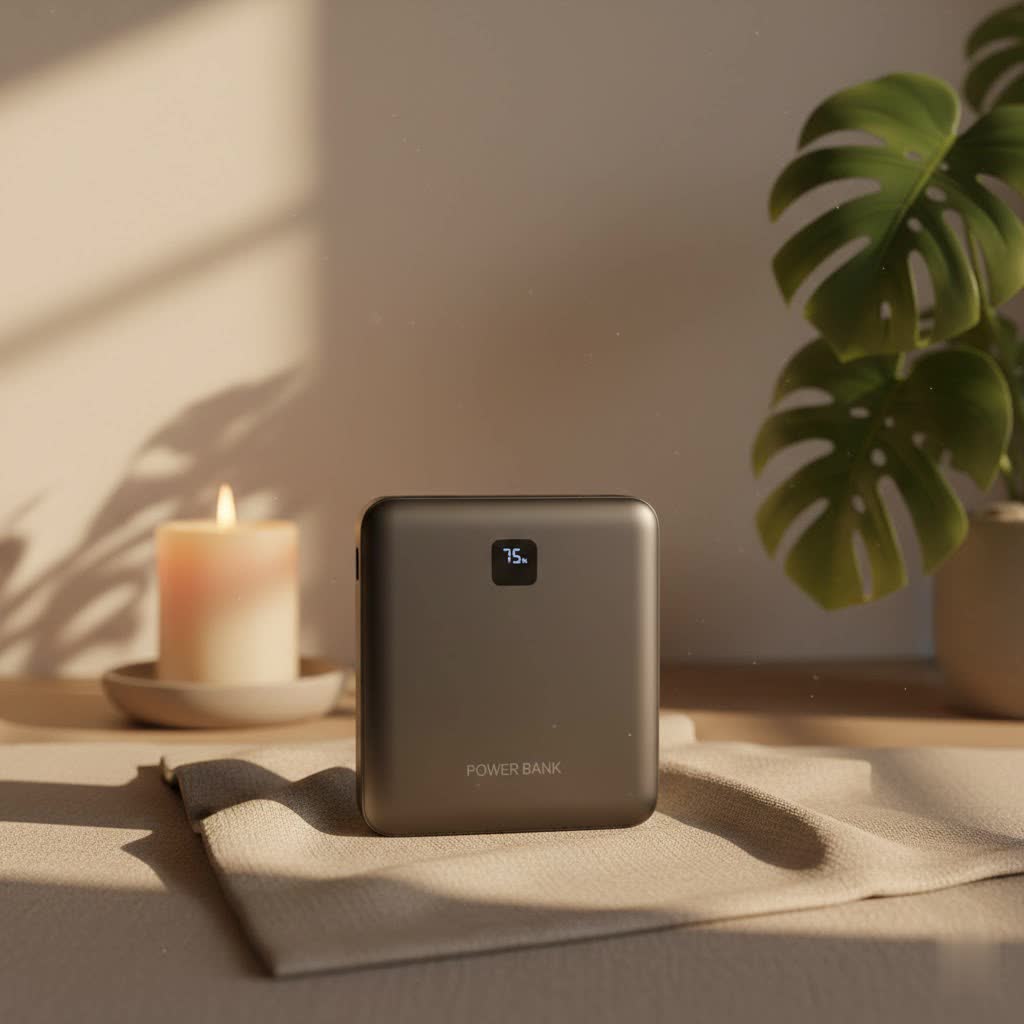
A power bank is essentially a portable battery designed to recharge electronic devices like your iPhone when you’re away from a wall outlet. It’s a lifesaver for anyone with an active lifestyle, frequent travel, or simply a device that struggles to last a full day. Imagine being able to power up your iPhone during a long commute, a wilderness hike, or even a bustling conference without searching frantically for a plug socket. This convenience is the core benefit of owning a power bank, providing unparalleled freedom and ensuring you never miss an important call, photo opportunity, or navigation prompt due to a depleted battery.
Popular Types of Power Banks on the Market
The power bank landscape is diverse, offering various capacities, charging technologies, and designs to suit every need. Understanding these classifications is key to making an informed choice for your iPhone.
Classification by Capacity (mAh)
Capacity, measured in milliampere-hours (mAh), indicates how much charge a power bank can store.
- 5,000mAh Power Banks:
- Pros: Extremely compact and lightweight, perfect for slipping into a pocket or small bag. Provides roughly one full charge for most iPhone models.
- Cons: Limited capacity, not suitable for multiple recharges or power-hungry devices.
- Ideal User: Those who need a quick emergency boost for their iPhone or prefer minimal bulk.
- 10,000mAh Power Banks:
- Pros: A popular sweet spot, offering two to three full iPhone charges. Still reasonably portable for daily carry. Many include fast-charging capabilities and multiple ports.
- Cons: Slightly larger and heavier than 5,000mAh models.
- Ideal User: Everyday users who need reliable multi-day power, commuters, and travelers.
- 20,000mAh+ Power Banks:
- Pros: High capacity for multiple iPhone charges, capable of charging iPads, and even some MacBook Air models. Often feature high-wattage output (e.g., 45W, 65W, or even 100W+) and multiple ports for simultaneous charging.
- Cons: Noticeably larger and heavier, less pocket-friendly. Can be more expensive.
- Ideal User: Heavy users, photographers, campers, digital nomads, or anyone needing to charge multiple devices including laptops.
|
Our Picks for the Best Power Bank in 2026
As an Amazon Associate I earn from qualifying purchases.
|
||
| Num | Product | Action |
|---|---|---|
| 1 | Anker 737 Power Bank, 24,000mAh 3-Port Laptop Portable Charger with 140W Fast Charging, Smart Display, for Outdoor Work, Compatible with iPhone 16/15/14 Series, Vision Pro, Samsung, MacBook, and More |

|
| 2 | LENUTO for Magsafe Portable Charger 10000mAh Magnetic Portable Charger with Type-C Cable 20W PD Fast Charging,Foldable Stand,Dual Type-C & USB-A Outputs,LED Display–Space Gray |
|
| 3 | Anker Power Bank(PowerCore 10K), Compact Travel-Ready 10,000mAh Battery Pack with PowerIQ Charging Technology, 5V/3A High-Speed Charging for iPhone, iPad,and More(USB-C Input and Output(Black), 1pack) |
|
| 4 | Portable Charger 50800mAh Power Bank with 3 Built in Cables,25W PD QC4.0 Fast Charging USB C Battery Pack,6 Outputs 2 Inputs Travel Essentials Portable Phone Charger for iPhone 17/16/15,Google,Android |
|
| 5 | Anker Laptop Power Bank, 25,000mAh Portable Charger with Triple 100W USB-C Ports, Built-in Retractable Cables, Flight-Approved for Travel, iPhone 17/16 Series, MacBook, Samsung, and More |
|
| 6 | INIU Portable Charger, Ultra Slim 45W Fast Charging with Attached USB C Cable, Flight-Safe 10000mAh PD Power Bank Battery Pack, Travel Essential Phone Powerbank for iPhone 17 16 Samsung S25 Google etc |
|
| 7 | Anker Prime Power Bank, 26,250mAh 3-Port Portable Charger with 300W Max Output, Two-Way Charging, TSA-Approved, App Control, for MacBook, iPhone 17/16 Series, and More (Base Not Included) |
|
| 8 | Anker Zolo Power Bank (2025 Upgraded Version), 20,000mAh 30W High-Speed Portable Charger with Built-in USB-C Cable, Battery Pack for iPhone 17/16 / 15 Series, Galaxy, and More |
|
| 9 | ERRBBIC Solar Charger Power Bank 20000mAh, Portable Wireless Charger, 15W Fast Charging External Battery Pack with Dual Flashlight and USB C Outputs, Outdoor Mobile Power Compatible with Cell Phones |
|
| 10 | BLAVOR Solar Power Bank with Hand Crank and 4 Cables, 20000mAh Wireless Portable Charger with USB C & Camping Light, 20W Fast Charging Battery Pack for iPhone, iPad, Samsung, All Mobile Phones |
|
Classification by Charging Technology
Modern power banks incorporate various technologies to deliver power efficiently.
- Fast Charging: Power Delivery (PD) over USB-C is the most common standard for rapidly charging iPhones (especially iPhone 8 and newer). Many power banks support 20W, 22.5W, or even 30W output, significantly reducing charging times compared to standard 5W chargers. For devices like the iPhone 16 series, some power banks can even support up to 25W MagSafe charging, though dedicated power banks reaching this level are still emerging.
- Pros: Drastically cuts down charging time, ensuring your iPhone is ready to go faster.
- Cons: Requires compatible cables and devices to achieve top speeds.
- Wireless Charging (MagSafe, Qi, Qi2):
- Qi: The universal standard for wireless charging. Many power banks offer Qi charging, but without magnetic alignment, it can be less convenient.
- MagSafe: Apple’s proprietary magnetic wireless charging standard for iPhones (iPhone 12 and newer). MagSafe-certified power banks provide 15W wireless charging, while “MagSafe-compatible” (Qi-based magnetic) chargers often deliver 7.5W.
- Qi2: The latest wireless charging standard, compatible with MagSafe, offering 15W fast wireless charging with magnetic alignment. Power banks with Qi2 are becoming more prevalent and offer a premium wireless charging experience for newer iPhones (iPhone 15/16 series).
- Pros: Cord-free convenience, especially with magnetic alignment. Some also act as stands.
- Cons: Can be slower than wired charging, and some older models may not offer fast wireless speeds. Magnetic attachment requires a MagSafe-compatible iPhone or case.
- Integrated Cables: Some power banks come with built-in USB-C, Lightning, or dual cables, eliminating the need to carry extra wires.
- Pros: Ultimate convenience, fewer items to forget.
- Cons: If the cable breaks or is not the type you need, you might be out of luck unless there are additional ports.
Classification by Key Brands
While many brands exist, a few consistently stand out for their quality, innovation, and reliability, particularly for iPhone users.
- Anker: A market leader known for its wide range of reliable and innovative power banks, often featuring advanced charging technologies, durable builds, and competitive pricing. They offer everything from slim 5,000mAh units to high-capacity laptop chargers.
- Belkin: Offers a selection of high-quality power banks, including MagSafe-compatible options, often with robust designs and integrated cables.
- Baseus: Gaining popularity for offering feature-rich power banks at competitive prices, often incorporating Qi2, kickstands, and compact designs.
- Ugreen: Known for solid performance and value, providing various power banks with good charging speeds and modern features like MagSafe compatibility.
- Sharge: Stands out with unique, eye-catching designs (often transparent) combined with advanced charging capabilities.
- Mophie: A long-standing player in mobile accessories, offering reliable power banks, often with sleek designs and integrated cable options.
Comparison Table of Power Banks
Here’s a detailed comparison of popular power bank types for your iPhone:
| Feature | 5,000mAh Power Bank | 10,000mAh Power Bank | 20,000mAh+ Power Bank |
|---|---|---|---|
| Capacity | ~1 full iPhone charge | ~2-3 full iPhone charges | ~4-7+ full iPhone charges, can charge iPad/Laptop |
| Portability | Excellent (pocket-sized, very light) | Good (fits in small bag, moderate weight) | Fair (bulky, heavy) |
| Charging Tech | Often 7.5W wireless (Qi/MagSafe-compatible), 20W wired USB-C | Often 15W wireless (Qi2/MagSafe), 20-30W wired USB-C PD | Often 15W wireless (Qi2/MagSafe), 45W-100W+ wired USB-C PD |
| Price Range | $20 – $50 | $30 – $90 | $60 – $150+ |
| Typical Use | Emergency boost, daily light use | Everyday power, short trips, multi-device charging | Extended travel, camping, charging laptops, professional use |
| Pros | Extremely portable, affordable | Good balance of capacity & portability, versatile | High power output, multiple devices, extended usage |
| Cons | Limited charges | Less compact than 5K, still may not charge laptops fully | Bulky, heavier, more expensive |
| Best For | Minimalists, emergency top-ups | Most iPhone users, daily commuters, short trips | Power users, digital nomads, laptop charging |
Guide to Choosing the Right Power Bank for iPhone
Selecting the ideal power bank involves more than just picking a popular brand. It requires a thoughtful assessment of your personal usage habits and understanding technical details.
Determine Your Needs
Start by asking yourself these critical questions:
- Which devices do you need to charge? Is it just your iPhone, or do you also carry an iPad, Apple Watch, AirPods, or even a MacBook? If it’s more than just an iPhone, consider a higher capacity and multiple output ports.
- How many full charges do you require? A 5,000mAh power bank might suffice for a single emergency top-up, but if you need to keep your iPhone running for a weekend trip, a 10,000mAh or 20,000mAh model will be more appropriate.
- Is fast charging a must-have? If you’re always on the go and need quick power, prioritize models with Power Delivery (PD) via USB-C or 15W Qi2/MagSafe wireless charging.
- What’s your budget? Power banks vary widely in price. Determine how much you’re willing to spend, keeping in mind that higher capacity, faster charging, and premium features often come with a higher price tag.
Understand Technical Specifications
Delving into the specs ensures compatibility and performance:
- Capacity (mAh): As discussed, this dictates the number of recharges. Generally, an iPhone’s battery is between 2,500mAh and 4,500mAh, so a 10,000mAh power bank can typically charge it 2-3 times.
- Charging Efficiency: Not all of a power bank’s stated capacity is delivered to your device due to energy loss during conversion. A good efficiency is typically 80-90%.
- Charging Ports:
- USB-A: Standard rectangular port, common for older devices or accessories.
- USB-C: Reversible, versatile, and supports faster charging (Power Delivery). Essential for iPhone 15/16 and newer, and also used to recharge the power bank itself.
- Lightning: Specific to older iPhones (up to iPhone 14 series). Some power banks offer integrated Lightning cables or ports.
- Output Voltage and Current (V/A): These determine charging speed. Look for “PD” (Power Delivery) and wattage (W). For fast iPhone charging, 20W or higher output is recommended.
- Safety Features: Ensure the power bank has built-in protections against overcharging, over-discharging, short-circuits, and overheating. Reputable brands always include these.
Choose Reputable Brands
Investing in a power bank from a well-known and trusted brand is crucial for both performance and safety.
- Check User Reviews: Real-world experiences offer valuable insights into a product’s reliability and common issues.
- Warranty and After-Sales Support: Good brands offer warranties and responsive customer service, which can be invaluable if you encounter problems.
- Safety Certifications: Look for certifications like CE, FCC, RoHS, which indicate compliance with safety and environmental standards.
Compare Prices
While a higher price often correlates with better quality and features, there are excellent value options available.
- Shop Around: Check different retailers and online stores for the best deals.
- Don’t Sacrifice Quality for Price: Extremely cheap, unbranded power banks can be risky, potentially offering inaccurate capacities or lacking essential safety features that could damage your iPhone. A balance between cost and quality is always recommended.
Top 10 Best Power Banks for iPhone in 2026
Based on innovation, performance, and user feedback, here are some of the top power banks ideal for iPhone users in 2026:
-
Baseus 5K Qi2 Picogo Power Bank with Kickstand
- Overview: A remarkably compact and lightweight magnetic power bank designed with Qi2 certification for fast 15W wireless charging. Its integrated kickstand allows for both portrait and landscape viewing while charging.
- Pros: Most compact Qi2 magnetic power bank with kickstand, 15W wireless charging, strong magnet, 20W wired USB-C, available in multiple colors.
- Cons: Costs more than standard Qi-only 5K models.
- Ideal for: Users prioritizing portability, fast wireless charging, and media consumption on the go.
-
Anker Nano Power Bank 5K Magnetic Charger
- Overview: Anker’s slimmest Qi2 magnetic charger to date, offering 15W wireless charging in an incredibly sleek profile.
- Pros: Extremely slim and lightweight, 15W Qi2 wireless charging, strong magnetic attachment, 20W wired USB-C.
- Cons: No integrated kickstand, slightly pricier.
- Ideal for: Minimalists who want fast magnetic wireless charging without added bulk.
-
Anker Nano Power Bank (10K, 45W, Built-In Retractable USB-C Cable)
- Overview: A versatile 10,000mAh power bank featuring a convenient retractable USB-C cable and a clear display showing battery life and charging speed. It offers a powerful 45W wired output, capable of charging some laptops.
- Pros: Retractable USB-C cable, 45W output (laptop charging capable), integrated display, 10,000mAh capacity.
- Cons: A bit chunky despite its compact footprint.
- Ideal for: Users needing robust wired charging for multiple devices, including lighter laptops, and appreciating the convenience of a built-in cable.
-
Baseus Picogo Qi2 MagSafe 10K Portable Charger
- Overview: One of the slimmest 10,000mAh magnetic power banks available, supporting 15W Qi2 wireless charging for quick power delivery.
- Pros: Very slim and light for a 10,000mAh unit, 15W Qi2 wireless charging, 27W wired USB-C, strong magnet, competitive pricing.
- Cons: Thicker and heavier than 5K models.
- Ideal for: iPhone users who need extended battery life and fast magnetic wireless charging in a relatively slim package.
-
Anker Zolo Portable Power Bank
- Overview: An affordable and compact 10,000mAh power bank with a built-in USB-C cable that doubles as a lanyard. It provides a solid 30W wired output.
- Pros: Affordable, 10,000mAh capacity, built-in USB-C cable (doubles as lanyard), 30W wired charging.
- Cons: Can be a bit bulky.
- Ideal for: Budget-conscious users who want a reliable 10,000mAh wired charger with cable convenience.
-
Anker Zolo Dual-Cable Power Bank
- Overview: A 10,000mAh power bank that includes both built-in USB-C and Lightning cables, catering to both new and older iPhone models, and offering 30W wired charging.
- Pros: Dual built-in USB-C and Lightning cables, 10,000mAh capacity, 30W wired charging, affordable.
- Cons: Slightly bulky.
- Ideal for: Households with mixed iPhone models (USB-C and Lightning) or users who need to charge various Apple devices.
-
Belkin Portable Charger 10K with integrated Lightning & USB-C cables
- Overview: Another excellent option for mixed-device users, this 10,000mAh power bank features integrated dual USB-C and Lightning cables, offering 23W power output.
- Pros: Integrated dual USB-C and Lightning cables, 10,000mAh capacity, pass-through charging, 23W wired output.
- Cons: Somewhat generic design.
- Ideal for: Users seeking comprehensive cable integration for both old and new Apple devices.
-
Sharge IceMag 2
- Overview: Known for its distinctive transparent design, this 10,000mAh power bank boasts Qi2 15W wireless charging, an integrated kickstand, and efficient heat dissipation.
- Pros: Unique eye-catching design, 15W Qi2 wireless charging, integrated kickstand, 30W wired USB-C, good heat management.
- Cons: Can be slightly bulkier and pricier than some alternatives.
- Ideal for: Style-conscious users who want performance and a standout aesthetic.
-
Anker MagGo Power Bank 10K
- Overview: A high-capacity Qi2-certified power bank from Anker with 15W wireless charging, a retractable kickstand, and an LCD display for detailed battery status.
- Pros: High 10,000mAh capacity, 15W Qi2 wireless charging, integrated kickstand, LCD battery indicator.
- Cons: A bit bulky and pricey at launch.
- Ideal for: Users needing high-capacity magnetic wireless charging with added features like a kickstand and detailed status.
-
Anker 733 Power Bank
- Overview: A hybrid device that functions as both a 10,000mAh portable battery and a 65W GaN wall charger with integrated prongs, featuring multiple USB-C and USB-A ports.
- Pros: Dual functionality (power bank + wall charger), 65W output (can charge laptops), 10,000mAh capacity, multiple fast-charging ports.
- Cons: No wireless charging, fairly bulky.
- Ideal for: Travelers or professionals who want a single, powerful charging solution for their iPhone, laptop, and other gadgets, both at home and on the go.
How to Use and Maintain Your Power Bank Correctly
To ensure your power bank provides optimal performance and lasts for years, proper usage and maintenance are crucial.
How to Charge Your Power Bank Correctly
- Initial Charge: Fully charge your new power bank before its first use. This “conditions” the battery for better long-term performance.
- Use Original/Quality Cables: Always use the charging cable that came with your power bank or a reputable, high-quality cable for both charging the power bank and charging your iPhone from it.
- Avoid Overcharging (Generally): Most modern power banks have built-in circuits to prevent overcharging once they reach 100%. However, continuous trickle charging for extended periods (e.g., leaving it plugged in for days after it’s full) can still slowly degrade the battery over time.
- Charge Regularly: Lithium-ion batteries (common in power banks) prefer to be partially charged rather than fully drained and fully charged all the time. Aim to recharge your power bank before it hits extremely low levels.
How to Maintain Your Power Bank for Extended Lifespan
- Avoid Extreme Temperatures: Do not expose your power bank to direct sunlight, extremely hot cars, or freezing temperatures. Heat, in particular, is a battery’s worst enemy and can significantly shorten its lifespan.
- Store in a Cool, Dry Place: When not in use, keep your power bank in a stable, temperate environment.
- Keep it Clean: Periodically wipe down the exterior and gently clean ports to prevent dust or debris from affecting connections.
- Proper Storage for Long Periods: If you won’t be using your power bank for an extended period (e.g., several months), charge it to about 50-70% capacity before storing. This helps preserve the battery’s health.
- Airline Travel: Always carry power banks (lithium-ion batteries) in your carry-on luggage, not checked baggage, due to safety regulations.
Important Notes When Using Your Power Bank
- Heat During Charging: It’s normal for power banks to get slightly warm during use, especially during fast charging or wireless charging. However, if it becomes excessively hot, disconnect it immediately and contact the manufacturer.
- Cable Compatibility: Ensure you use the correct cable type for your iPhone (USB-C for newer models, Lightning for older ones) to achieve optimal charging speeds.
- Avoid Cheap, Unbranded Products: Low-quality power banks may not have adequate safety features and could potentially damage your iPhone or even pose a fire hazard. Investing in a reputable brand is always worth it.
“A quality power bank is more than just an accessory; it’s peace of mind in your pocket, ensuring your most essential device is always ready, regardless of where your day takes you.” – ReviewZcard.com Admin, Power Bank Specialist
Conclusion
Choosing the best power bank for your iPhone involves a blend of understanding your personal charging needs, appreciating the nuances of modern charging technology, and opting for trusted brands. From compact 5,000mAh units for emergency boosts to high-capacity 20,000mAh+ models that can power multiple devices and even laptops, the market offers a solution for every iPhone user. Prioritizing features like Qi2/MagSafe wireless charging, Power Delivery via USB-C, and integrated cables can significantly enhance your mobile experience. By making an informed decision and practicing good maintenance, your chosen power bank will be a reliable companion, keeping your iPhone powered and you connected. What kind of adventures will your always-charged iPhone take you on next?
Frequently Asked Questions
What is the difference between MagSafe and Qi2 charging for iPhones?
MagSafe is Apple’s magnetic wireless charging technology for iPhones (12 series and newer), capable of up to 15W charging with certified accessories. Qi2 is a newer, universal wireless charging standard that is MagSafe-compatible, also offering up to 15W fast wireless charging with magnetic alignment for iPhone 15/16 series and other compatible devices. Older magnetic chargers that are only “MagSafe compatible” often charge at 7.5W.
Can these iPhone power banks charge other devices too?
Yes, most iPhone power banks come with USB-A and/or USB-C output ports, allowing them to charge a wide array of USB-powered devices such as Android phones, headphones, smartwatches, and e-readers. For larger devices like tablets or laptops, look for power banks with higher wattage output (e.g., 45W, 65W, or more) and Power Delivery (PD) support.
Does using a power bank hurt my iPhone’s battery health?
No, using a high-quality, reputable power bank does not typically harm your iPhone’s battery. Modern power banks and iPhones have advanced battery management systems that prevent overcharging and regulate current flow. However, using very cheap, unbranded power banks that lack proper safety certifications can potentially cause issues due to poor regulation or heat generation.
What capacity power bank do I need for my iPhone?
For most iPhones, a 5,000mAh power bank will provide roughly one full charge, which is great for emergency top-ups. A 10,000mAh power bank is often ideal, offering two to three full charges for a standard iPhone. If you need to charge multiple devices, an iPad, or provide significant power to a MacBook Air, a 20,000mAh or higher capacity power bank is recommended.
What’s the difference between USB-C, USB-A, and Lightning ports on a power bank?
USB-A is the older, rectangular USB port common on many accessories. USB-C is a newer, smaller, reversible port that supports faster charging speeds (Power Delivery) and is the standard for iPhone 15/16 and many other modern devices. Lightning is Apple’s proprietary port found on older iPhones (up to iPhone 14 series); some power banks have integrated Lightning cables or ports for these devices.
