In today’s fast-paced world, running out of battery on your smartphone, tablet, or laptop can feel like being cut off from essential connections. Whether you’re commuting, traveling, or simply away from an outlet, a reliable power bank is no longer a luxury but a necessity. But with the rapid evolution of charging technology, specifically the rise of USB-C, choosing the right portable charger can be overwhelming. This comprehensive guide will help you navigate the exciting world of USB-C power banks, ensuring you select the perfect companion to keep all your gadgets charged and ready for action.
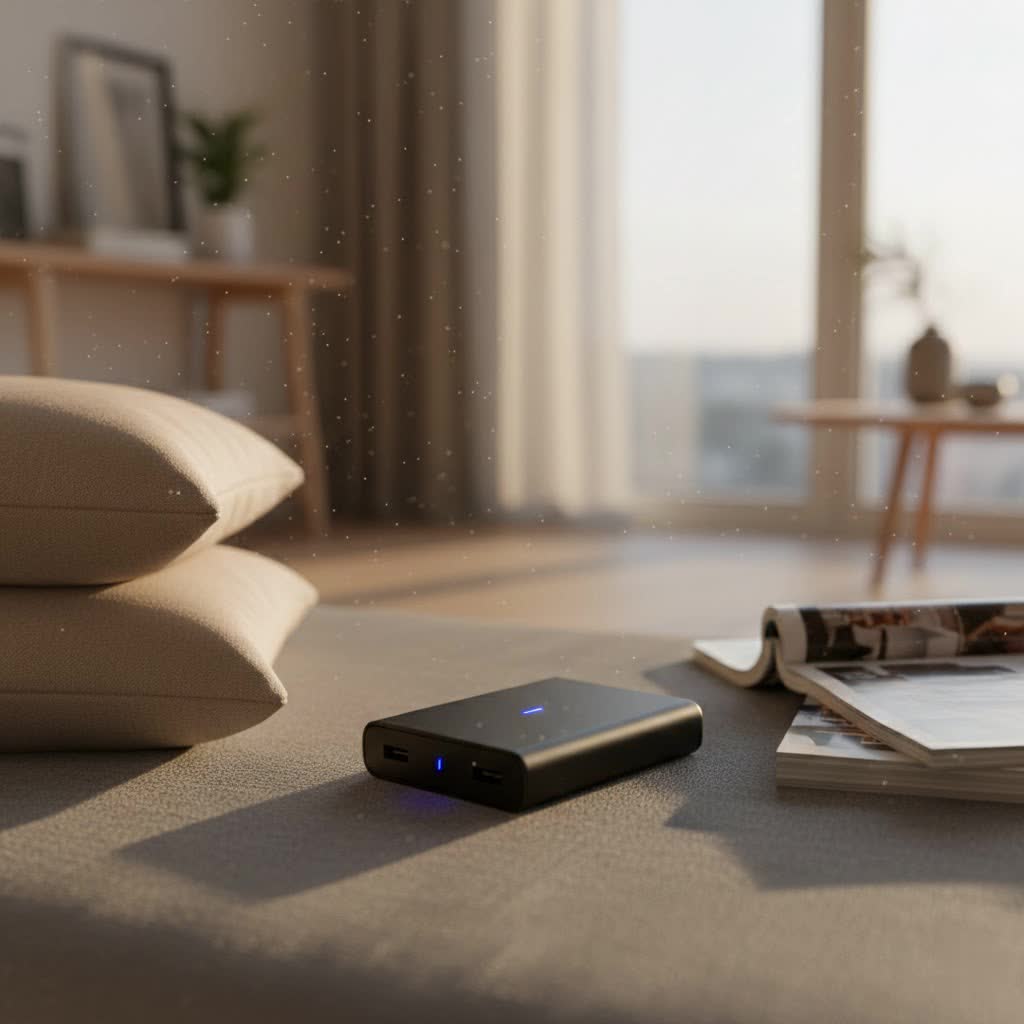
What is a Power Bank and Why Do You Need a USB-C One?
A power bank is a portable battery that stores electrical energy to recharge your electronic devices on the go. Think of it as a mobile energy reservoir that doesn’t require a wall outlet. Inside, power banks typically use rechargeable lithium-ion or lithium-polymer batteries, along with control circuitry to manage charging safely and efficiently.
The advent of USB-C has revolutionized portable charging. Unlike older USB-A or micro-USB connections, USB-C offers universal compatibility, a reversible connector (no more fumbling!), and significantly faster Power Delivery (PD). This means a single USB-C power bank can charge a vast array of devices, from your smartphone and earbuds to your tablet and even your laptop, at much higher wattages. USB-C also incorporates safety technologies like Power Delivery (PD) and GaN, which intelligently regulate voltage and minimize risks of overheating or overcharging. The European Union has even mandated USB-C as the universal charging standard for mobile devices by 2024, solidifying its future-proof status. Upgrading to a USB-C power bank means embracing efficiency, speed, and versatility for all your charging needs.
Popular USB-C Power Bank Types on the Market
The market for USB-C power banks is diverse, offering options tailored to various needs, capacities, charging technologies, and brands. Understanding these categories helps pinpoint the best fit for your lifestyle.
Classification by Capacity (mAh)
Capacity, measured in milliamp-hours (mAh), indicates how much energy a power bank can store. It directly correlates to how many times it can recharge your devices.
- 5,000mAh Power Banks: These are typically compact and lightweight, perfect for daily emergencies or a quick top-off. They can usually provide 1 to 1.5 full charges for most smartphones.
- Pros: Extremely portable, pocket-friendly.
- Cons: Limited charges, not suitable for multiple devices or larger gadgets.
- Ideal User: Commuters, students, minimalists needing emergency power.
- 10,000mAh Power Banks: Offering a balance between portability and power, these are a popular choice. They can recharge most smartphones 2-3 times.
- Pros: Good for weekend trips, can charge multiple devices once, still relatively compact.
- Cons: May not be enough for heavy users or laptop charging.
- Ideal User: Travelers, moderate smartphone users, those with multiple small devices.
- 20,000mAh+ Power Banks: These high-capacity power banks are designed for extended use, offering 4-5 smartphone charges or the ability to power tablets and even some laptops.
- Pros: Excellent for long trips, charging multiple devices repeatedly, laptop compatibility.
- Cons: Larger and heavier, less pocketable.
- Ideal User: Digital nomads, campers, those who frequently charge laptops, families. Some extreme models can reach 40,000mAh or more, functioning almost as mini power stations.
|
Our Picks for the Best Power Bank in 2026
As an Amazon Associate I earn from qualifying purchases.
|
||
| Num | Product | Action |
|---|---|---|
| 1 | INIU Portable Charger, Ultra Slim 45W Fast Charging with Attached USB C Cable, Flight-Safe 10000mAh PD Power Bank Battery Pack, Travel Essential Phone Powerbank for iPhone 17 16 Samsung S25 Google etc |

|
| 2 | LENUTO for Magsafe Portable Charger 10000mAh Magnetic Portable Charger with Type-C Cable 20W PD Fast Charging,Foldable Stand,Dual Type-C & USB-A Outputs,LED Display–Space Gray |
|
| 3 | ERRBBIC Solar Charger Power Bank 20000mAh, Portable Wireless Charger, 15W Fast Charging External Battery Pack with Dual Flashlight and USB C Outputs, Outdoor Mobile Power Compatible with Cell Phones |
|
| 4 | Anker Laptop Power Bank, 25,000mAh Portable Charger with Triple 100W USB-C Ports, Built-in Retractable Cables, Flight-Approved for Travel, iPhone 17/16 Series, MacBook, Samsung, and More |
|
| 5 | Portable Charger 50800mAh Power Bank with 3 Built in Cables,25W PD QC4.0 Fast Charging USB C Battery Pack,6 Outputs 2 Inputs Travel Essentials Portable Phone Charger for iPhone 17/16/15,Google,Android |
|
| 6 | Anker 737 Power Bank, 24,000mAh 3-Port Laptop Portable Charger with 140W Fast Charging, Smart Display, for Outdoor Work, Compatible with iPhone 16/15/14 Series, Vision Pro, Samsung, MacBook, and More |
|
| 7 | Anker Power Bank(PowerCore 10K), Compact Travel-Ready 10,000mAh Battery Pack with PowerIQ Charging Technology, 5V/3A High-Speed Charging for iPhone, iPad,and More(USB-C Input and Output(Black), 1pack) |
|
| 8 | Anker Prime Power Bank, 26,250mAh 3-Port Portable Charger with 300W Max Output, Two-Way Charging, TSA-Approved, App Control, for MacBook, iPhone 17/16 Series, and More (Base Not Included) |
|
| 9 | Anker Zolo Power Bank (2025 Upgraded Version), 20,000mAh 30W High-Speed Portable Charger with Built-in USB-C Cable, Battery Pack for iPhone 17/16 / 15 Series, Galaxy, and More |
|
| 10 | BLAVOR Solar Power Bank with Hand Crank and 4 Cables, 20000mAh Wireless Portable Charger with USB C & Camping Light, 20W Fast Charging Battery Pack for iPhone, iPad, Samsung, All Mobile Phones |
|
Classification by Charging Technology
Modern USB-C power banks come equipped with advanced charging technologies to deliver power more efficiently and rapidly.
- Fast Charging (USB Power Delivery – PD): This is the most crucial technology for USB-C power banks. USB PD allows for much higher wattages (up to 240W, though most power banks range from 18W to 100W+), enabling devices like laptops to charge quickly. Ensure your power bank specifies “USB-C PD Output” or “PD 3.0” for true fast charging.
- Pros: Dramatically cuts down charging time for compatible devices, universal fast-charging standard.
- Cons: Requires compatible devices and cables to achieve maximum speeds.
- Wireless Charging (Qi/MagSafe Compatible): Many USB-C power banks now integrate wireless charging pads, often with MagSafe compatibility for iPhones. This allows for cable-free convenience.
- Pros: Easy to use, reduces cable clutter, convenient for quick top-offs.
- Cons: Generally slower than wired charging, might cause heat, requires compatible devices.
- Programmable Power Supply (PPS): A subset of USB PD, PPS allows for dynamic adjustment of voltage and current in real-time. This is particularly beneficial for optimizing fast charging for devices like Samsung Galaxy phones.
- Pros: More efficient charging, reduces heat, extends battery lifespan for compatible devices.
- Cons: Only beneficial for devices that support PPS.
Classification by Brand
Leading brands in the USB-C power bank market are known for their quality, innovation, and reliability.
- Anker: A highly reputable brand known for its wide range of power banks, often featuring advanced technology like PowerIQ and GaN, and strong safety features. They offer everything from compact models with built-in cables to high-capacity laptop chargers.
- INIU: Known for offering good value with slim designs and ample battery life, often including LED displays for battery status.
- Cygnett: Offers powerful ranges of USB-C power banks designed for fast charging, including high-capacity options for laptops and wireless magnetic power banks.
- iWALK: Popular for compact, lipstick-sized USB-C portable chargers, some with integrated USB-C connectors for convenience.
- Charmast: Features portable chargers with multiple built-in cables (USB-C, Lightning, Micro USB) for versatile charging without carrying extra cords.
- Baseus: Offers innovative designs, including MagSafe compatible wireless chargers with decent capacity and multiple ports.
Comparing USB-C Power Bank Features
To help you visualize the differences, here’s a comparison of common features:
| Feature | 5,000mAh (Compact) | 10,000mAh (Standard) | 20,000mAh+ (High-Capacity) |
|---|---|---|---|
| Capacity | ~5,000mAh | ~10,000mAh | 20,000mAh – 40,000mAh+ |
| Primary Use | Emergency phone charge, daily carry | Weekend trips, multiple small devices | Laptop charging, long travels, multiple devices |
| Wattage Output | 18W – 22.5W (phones only) | 18W – 30W (phones, small tablets) | 45W – 140W+ (laptops, tablets, phones) |
| Port Types | 1x USB-C (often built-in) | 1-2x USB-C, 1x USB-A (sometimes built-in cables) | 2x USB-C, 1-2x USB-A (often retractable cables) |
| Fast Charging | USB PD for smartphones | USB PD, sometimes PPS | USB PD (high wattage), sometimes PPS |
| Wireless Charge | Rare, but some magnetic compact models exist | Some models offer Qi/MagSafe | Less common, focus on wired power |
| Portability | Very high (pocketable) | High (fits in bag/large pocket) | Moderate (bulkier, heavier) |
| Price Range | Low to Mid | Mid | Mid to High |
| Pros | Ultra-portable, lightweight | Versatile, good balance | Long-lasting, powerful |
| Cons | Limited use, slower charging | May not suffice for heavy laptop use | Bulky, heavier, longer self-recharge time |
| Overall Rating | Good for specific, light needs | Excellent all-rounder | Best for power-hungry users |
Guide to Choosing the Right USB-C Power Bank
Selecting the ideal USB-C power bank requires considering your personal usage patterns and understanding key specifications.
Assess Your Charging Needs
Before diving into technical details, ask yourself these questions:
- Which devices do you need to charge? (e.g., smartphone, tablet, laptop, smartwatch, earbuds). Different devices require different power outputs. Smartphones typically need 18W-30W for fast charging, while laptops can demand 45W-100W or even higher.
- What capacity do you need? If you only need to top off your phone once, 5,000mAh might suffice. For multiple charges or devices, 10,000mAh or 20,000mAh+ is more appropriate. Remember that due to energy conversion losses, a 10,000mAh power bank might only deliver 7,000-8,000mAh of usable energy.
- Do you need fast charging capabilities? If quick recharges are critical, ensure your power bank supports USB Power Delivery (PD) and offers sufficient wattage for your devices.
- What is your budget? Prices vary significantly based on capacity, features, and brand. Balance cost with the quality and features you truly need.
Understand Technical Specifications
Delving into the specs ensures your power bank performs as expected:
- Capacity (mAh): As discussed, higher mAh means more charges.
- Wattage Output (W): This dictates charging speed. Look for at least 18W-20W for fast phone charging, and 60W or higher for laptops.
- Charging Efficiency (%): This is often not explicitly listed but refers to how much of the stored energy is actually delivered to your device. Higher is better.
- Port Configuration:
- USB-C Ports: Essential for modern devices. Look for “IN/OUT” labels to ensure the port can both charge the power bank and your devices.
- USB-A Ports: Useful for backward compatibility with older devices.
- Built-in Cables: Some models feature integrated USB-C or even Lightning cables, reducing the need to carry separate cords.
- Input Voltage and Current (V/A): These specify how quickly the power bank itself recharges. A higher input wattage (e.g., 30W USB-C PD input) means the power bank will recharge faster.
- Safety Features: Prioritize power banks with built-in protections against overcharging, overheating, short circuits, and overvoltage. Certifications like CE, FCC, or RoHS are good indicators of safety.
Opt for Reputable Brands
Choosing a trusted brand often ensures better quality, performance, and customer support. Brands like Anker, INIU, Cygnett, and iWALK are well-regarded in the market. Check user reviews and ratings to gauge real-world performance and reliability. Verify their warranty and after-sales service policies for peace of mind.
Compare Prices and Value
While it’s tempting to go for the cheapest option, a power bank is an investment in your device’s longevity and your connectivity. Compare prices from various retailers, but always weigh the cost against the features, capacity, and brand reputation. Don’t compromise on safety and performance for a marginally lower price, as cheap, uncertified power banks can pose risks.
Top USB-C Power Banks for 2026
Here are some highly-rated USB-C power banks, showcasing different strengths and features:
- myCharge Fast Charging Portable Charger (Best Overall): This 10,500mAh power bank stands out for its versatility, offering a USB-C port, a USB-A port, and a built-in Lightning cable. It quickly charges phones (20% to full in under 30 minutes) and can charge three devices simultaneously. Its integrated wall plug for self-recharging adds to its convenience. Ideal for: Everyday users and travelers needing diverse compatibility.
- Anker Power Bank 25K 165W with Built-In and Retractable Cables (Best for Laptops): With a massive 25,000mAh capacity and 165W output, this Anker beast can quickly charge laptops and multiple devices. It features retractable USB-C cables, a display screen for battery status, and well-spaced ports. While heavy, its exceptional battery life makes it perfect for professionals on the go.
- INIU Slim Charger (Best Value): This compact 10,000mAh power bank offers great value with its slim profile and ample battery life. It features multiple well-spaced ports (USB-C input/output, two USB-A inputs) allowing simultaneous charging of up to three devices. It recharges quickly and has an LED display for battery status.
- iWALK Small USB-C Portable Charger (Most Compact): As small as a tube of lipstick with a 4,500mAh capacity, this iWALK charger is incredibly portable and lightweight, featuring a direct USB-C plug. It’s ideal for quick top-offs for a single device when traveling light, though charging speeds might be slower than larger models.
- Charmast Portable Charger With Built-in Cables (Best Built-in Cables): This 10,000mAh power bank is a clutter-free solution with four integrated cables (USB-C, USB, Lightning, Micro USB). Its slim design and ability to charge various devices simultaneously make it a convenient travel companion, though its self-recharge time can be longer.
- Anker Zolo Portable Charger with Built-in Lanyard (Best Quick-Charge for USB-C Phones): This 10,000mAh power bank features a built-in USB-C charging cable that doubles as a lanyard, providing great portability. It supports pass-through charging and can take phones from 20% to 80% within an hour. Note: The built-in cable is USB-C, so iPhone users with Lightning ports will need a separate cable.
- AOGUERBE Magnetic Power Bank (Best Built-in Stand): This 10,000mAh magnetic power bank offers a convenient built-in kickstand, perfect for hands-free media consumption while charging. It’s compact and compatible with MagSafe iPhones, providing both magnetic wireless and wired USB-C/USB-A charging options.
How to Use and Maintain Your USB-C Power Bank Correctly
To maximize the performance and lifespan of your USB-C power bank, proper usage and maintenance are key.
How to Charge Your Power Bank Correctly
- Initial Charge: When you first get a new power bank, fully charge it before its first use.
- Use a Compatible Charger: Always use a wall adapter that provides appropriate wattage (ideally USB-C PD compatible) to recharge your power bank. This ensures efficient and safe recharging of the power bank itself. Using a low-wattage charger will significantly increase the time it takes to replenish the power bank.
- Avoid Overcharging: While most modern power banks have overcharge protection, it’s generally good practice to disconnect them once fully charged.
- Regular Use: Don’t let your power bank sit unused for extended periods. Lithium-ion batteries benefit from regular cycles. If storing for a long time, aim for about a 50-70% charge, not fully empty or full.
How to Preserve Your Power Bank’s Lifespan
- Avoid Extreme Temperatures: Exposure to very high or very low temperatures can degrade the battery. Do not leave your power bank in direct sunlight, hot cars, or extremely cold environments.
- Handle with Care: Power banks contain sensitive electronic components. Avoid dropping them or exposing them to excessive impacts.
- Use Quality Cables: Always use high-quality, compatible USB-C cables. Poor-quality cables can lead to inefficient charging, overheating, or even damage to your devices and the power bank.
- Keep Ports Clean: Dust and debris can accumulate in ports, affecting connectivity. Gently clean ports with a soft brush if necessary.
- Check for Swelling: If you notice any bulging or swelling of the power bank casing, discontinue use immediately as this indicates a potentially dangerous battery issue.
Important Considerations When Using a Power Bank
- Airline Regulations: If you plan to travel by air, always carry your power bank in your carry-on luggage, not checked baggage. The Federal Aviation Administration (FAA) and Transportation Security Administration (TSA) typically restrict portable chargers with lithium batteries to a maximum of 100 watt-hours (Wh). You can convert mAh to Wh by multiplying mAh by volts and then dividing by 1,000 (e.g., 20,000mAh at 3.7V is 74Wh, well within limits). Power banks exceeding 27,000mAh (or 100Wh) usually require airline approval.
- Charging Multiple Devices: While many USB-C power banks offer multiple ports, remember that the total power output is shared. Charging several devices simultaneously might reduce the charging speed for each.
- Pass-Through Charging: Some advanced USB-C power banks support “pass-through charging,” allowing you to recharge the power bank while it simultaneously charges your devices. This can be convenient, but often requires the input power to exceed the output demand.
“A USB-C power bank isn’t just a portable charger; it’s a testament to charging efficiency and universal compatibility, simplifying the lives of tech users everywhere.” – ReviewZcard.com Admin, Power Bank Expert
Conclusion
The USB-C power bank has become an indispensable accessory, offering unparalleled speed, versatility, and convenience for keeping our myriad devices powered up. From compact models for a quick phone boost to high-capacity units capable of recharging laptops, there’s a USB-C power bank designed for every need and lifestyle. By understanding key specifications like wattage and capacity, prioritizing reputable brands, and following proper usage and maintenance guidelines, you can ensure your chosen power bank provides reliable, fast charging for years to come. Don’t let a dead battery slow you down—embrace the power of USB-C and stay connected, wherever life takes you. What will you power up next with your reliable USB-C companion?
Frequently Asked Questions
Can a USB-C power bank charge my older iPhone with a Lightning port?
Yes, absolutely. You can charge an older iPhone using a USB-C to Lightning cable. For iPhone 15 and later models, a USB-C power bank connects directly via a USB-C to USB-C cable for optimal fast charging. Many power banks also include USB-A ports for broader compatibility.
What’s the difference between mAh and Wh, especially for airplane travel?
mAh (milliamp-hour) measures the total electric charge a battery can hold, indicating capacity. Wh (watt-hour) measures the actual energy stored, which is crucial for airline regulations. The FAA/TSA limit is usually 100Wh for portable chargers in carry-on luggage. You can convert mAh to Wh by multiplying mAh by the battery’s voltage (typically 3.7V) and dividing by 1,000.
Can I charge my laptop with any USB-C power bank?
No, not all USB-C power banks can charge laptops. Laptops require higher wattage output (typically 45W-100W or more) and often depend on USB Power Delivery (PD). Ensure the power bank specifies “USB-C PD output” with sufficient wattage for your laptop’s charging requirements to avoid slow or insufficient charging.
What does “pass-through charging” mean?
Pass-through charging allows a power bank to charge itself (input) while simultaneously charging connected devices (output). This feature can be very convenient, letting you manage power from a single wall outlet. However, verify that the power bank explicitly supports this function, as not all models do.
Are USB-C power banks safer than older power banks?
Modern USB-C power banks, especially those from reputable brands, often integrate advanced safety features like overcharge, over-discharge, short-circuit, and overheating protection. The USB-C Power Delivery (PD) standard itself includes intelligent voltage regulation, making the charging process safer and more efficient compared to older, less regulated charging standards.
